

🔢 Choose How You Want to Start
You have two options:➤ Generate Script With AI
Use our built-in AI to generate a script for your video. Ideal if you don’t have a script ready or want to speed things up.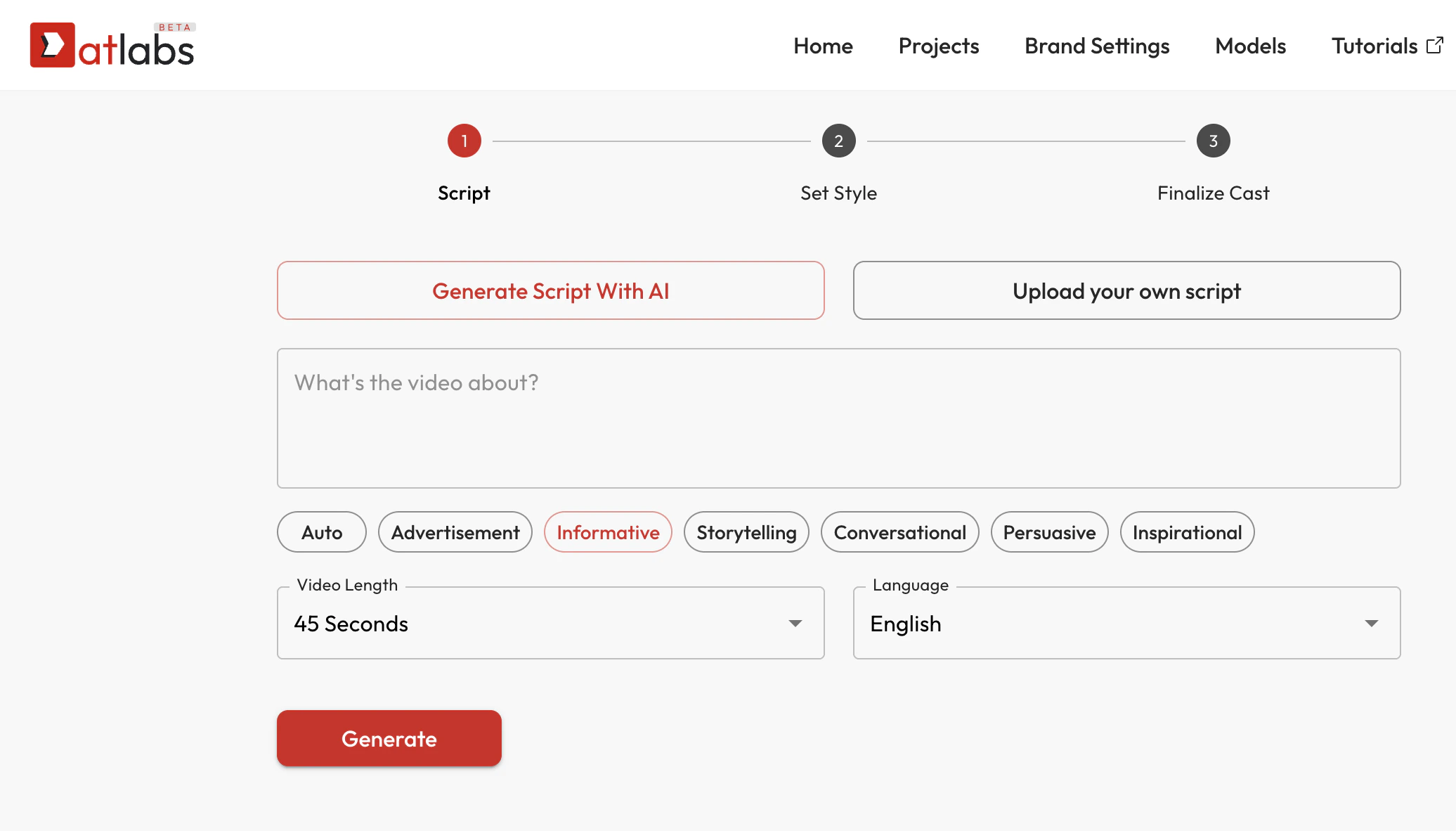
➤ Upload Your Own Script
Already have a script? Paste it directly and skip AI generation. Follow this guide.🖊️ What’s the video about?
Briefly describe the topic of your video. Example:“A coffee brand launching a new cold brew for summer.” This helps the AI tailor the tone, structure, and flow of your script.
🎯 Select Script Style
Choose the tone that best matches your intent. Available styles:- Auto – Let AI decide the best tone
- Advertisement – Direct & CTA-driven
- Informative – Educational or explanatory
- Storytelling – Narrative-driven
- Conversational – Friendly and natural
- Persuasive – Influential & benefit-focused
- Inspirational – Motivational messaging
⏱️ Select Video Length
Choose the ideal runtime for your video:- 20 sec
- 30 sec
- 45 sec
- 60 sec
- 🔥 Premium Durations: 90 sec, 2 min, 3 min, 5 min, 10 min
- Unlimited length (available only on Enterprise plans)
🌐 Choose Script Language
Pick the language in which your script will be generated. Supported languages listed here and include:- English (default)
- German, Spanish, Mandarin, French, Hindi, Bengali, Tamil and 40+ more languages
👑 Premium languages are marked with a crown icon.
✅ Hit “Generate”
Once you’ve customized the inputs, click the red Generate button. Your script will be automatically created and ready for the next step: Set Style.🔄 Tip: You Can Regenerate
If the script doesn’t meet your expectations, you can always go back and tweak the description, tone, or language — and regenerate. You can also manually tweak individual parts / lines of the script.🛠️ Troubleshooting
- Nothing happens when clicking Generate?
Ensure all required fields (video topic, language, length) are filled. - Can’t see premium durations/languages?
Upgrade to a premium plan to unlock these.